Automate Blog to Social Media Using AI and Make
Every time I finished writing a new blog post, the same routine followed: summarize it, write captions for each platform, grab the featured image, and publish it manually to LinkedIn, X (Twitter), and Facebook. It worked, but it quickly became a chore. As the pace of my publishing increased, I wanted to stop repeating…
Every time I finished writing a new blog post, the same routine followed: summarize it, write captions for each platform, grab the featured image, and publish it manually to LinkedIn, X (Twitter), and Facebook.
It worked, but it quickly became a chore.
As the pace of my publishing increased, I wanted to stop repeating this manual work. The captions still had to fit each platform’s tone and character limit, so a straight copy-paste to all three was out.
So I built an automation using Make.com, Claude, OpenAI, and Airtable.
The Goal
I wanted a system that would:
- Automatically detect when I publish a new blog post
- Generate social media captions using AI
- Customize those captions per platform
- Post automatically to Facebook, LinkedIn, and X (Twitter)
- Track everything in Airtable so I always know what’s been published
The Flow of the Automation
The steps, in order:
- A new blog post is published on my site.
- Make.com picks it up, pulls metadata and the featured image.
- The post is logged in Airtable.
- Claude writes a clean, informative summary.
- ChatGPT adapts the summary into different tones for each platform.
- Make.com posts them directly to my social accounts.
- Airtable is updated with a status for each platform.
The whole thing in Make.com:
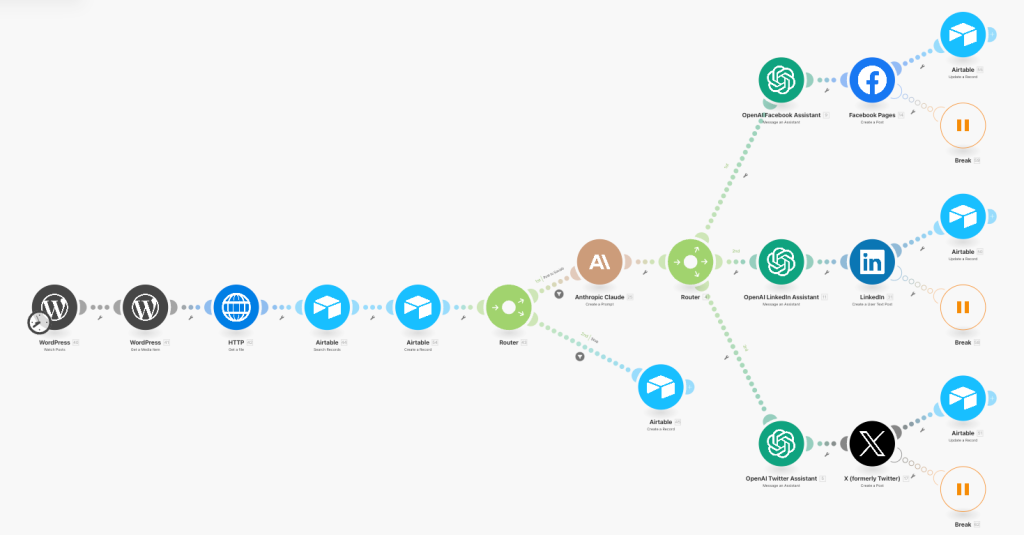
Detecting New Blog Posts (WordPress → Make)
The automation starts with a Watch Posts trigger in Make.com. This listens for new published posts on my WordPress site.
Once a new post is detected, a second WordPress module fetches the featured media. Since some platforms don’t preview links properly without a native image, I download the featured image via the HTTP module to attach it manually during posting.
This part of the workflow gathers everything I need to build a complete social post:
- Title
- URL
- Featured Image
- Category
Logging Posts in Airtable
I use Airtable as a lightweight backend to store metadata and status info about each blog post. Make.com first checks if the post already exists (in case I update something), then either creates or updates the record.
This lets me:
- Track which platforms have received the post
- Retry or fix issues without reposting everything
It also makes it easy to pause or disable individual platforms per post.
Generating the Captions (Claude + ChatGPT)
I use Claude API to generate an initial post caption. I send the blog post title and excerpt from the “Watch Post” module into Claude, along with a short instruction like:
“Summarize this and start your output with a headline.”
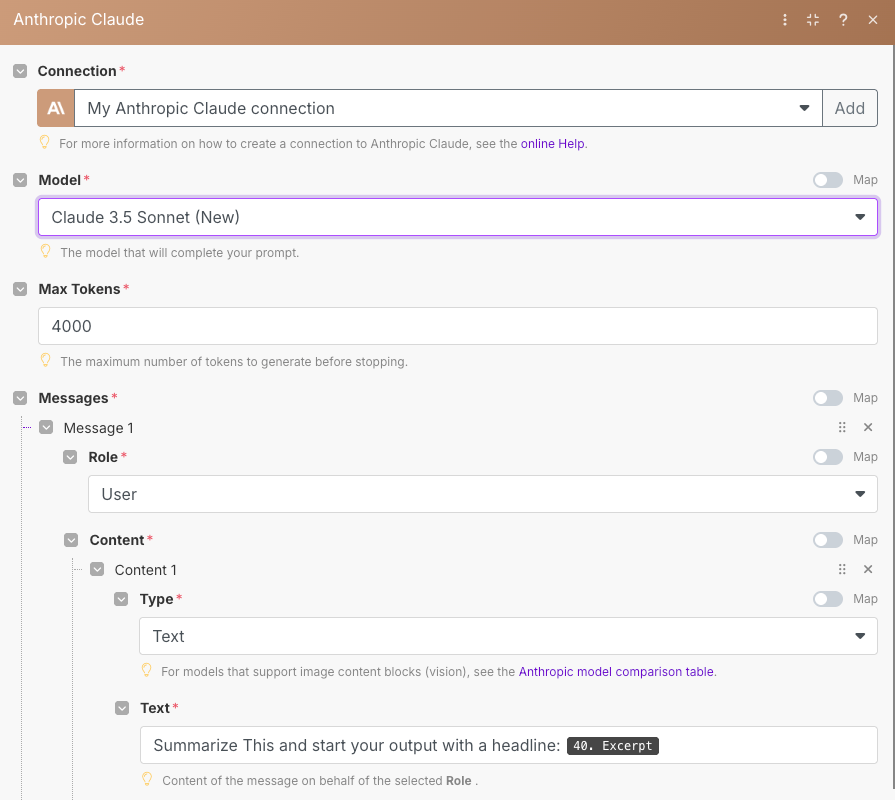
Claude returns a clean, neutral caption that works as a base for all platforms.
Then, for each platform, I run a second AI step using OpenAI’s API, I’ve created an OpenAI Assistant for each Social Media platform.
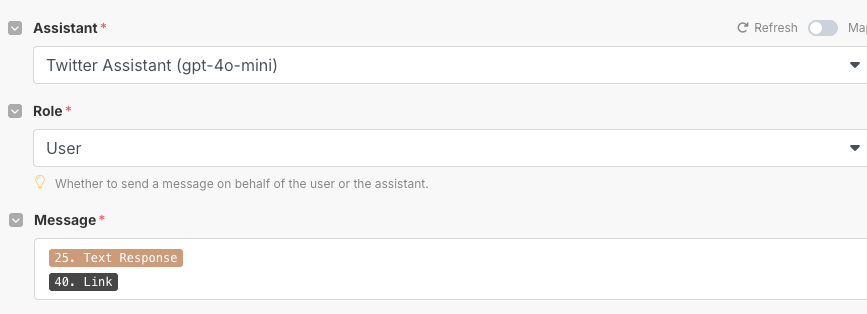
Each assistant is tuned slightly differently:
- Facebook: A little more relaxed and conversational
- LinkedIn: Professional and technical, and very sensitive about formatting (especially parentheses)
- X (Twitter): Short and concise (under 280 characters)
Two models in sequence read better than one model doing both jobs.
Platform-Specific Posting
Each platform has its own route in Make.com:
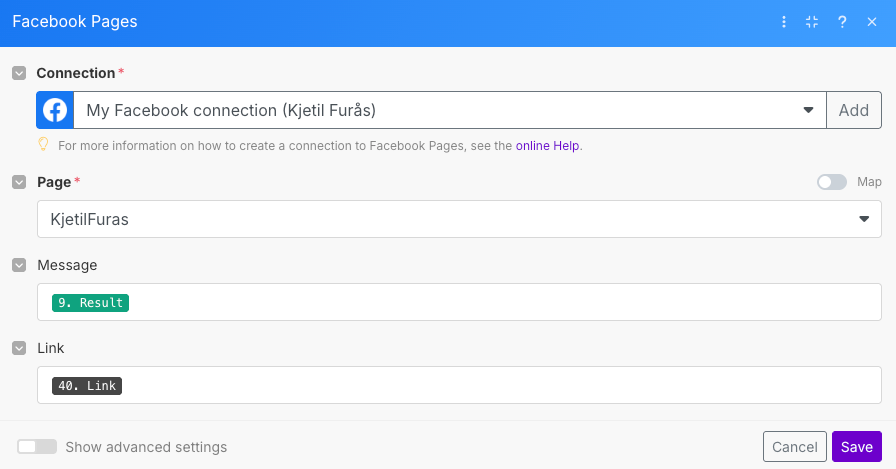
- Facebook Pages: Posts the AI caption, the link, and attaches the featured image.
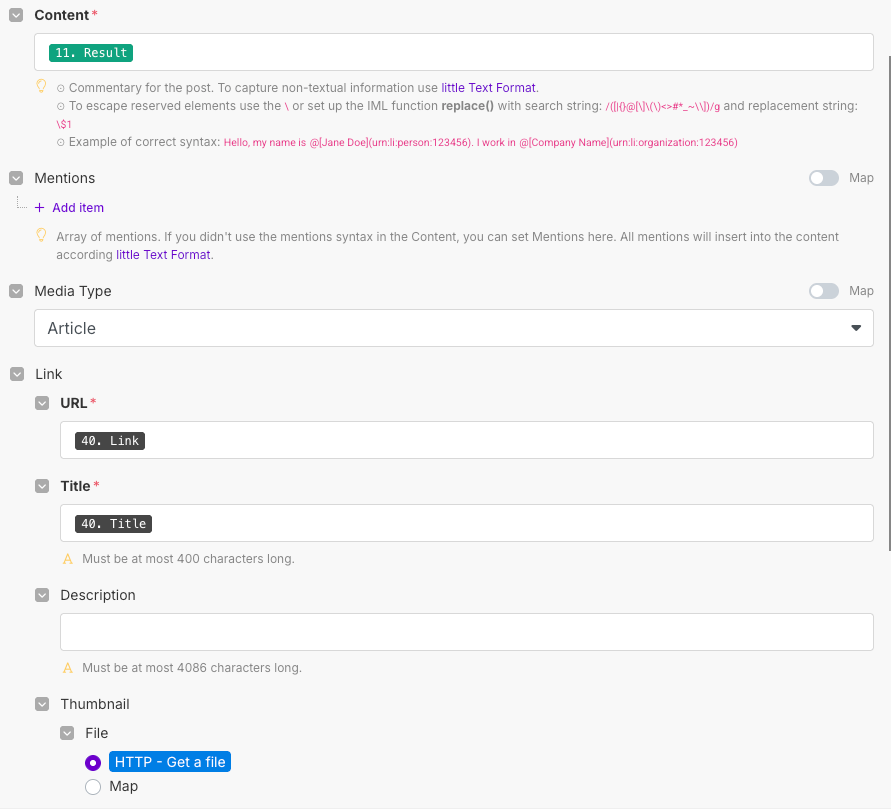
- LinkedIn: Creates an article post with the AI caption, the link, the title, and attaches the featured image via the HTTP module.
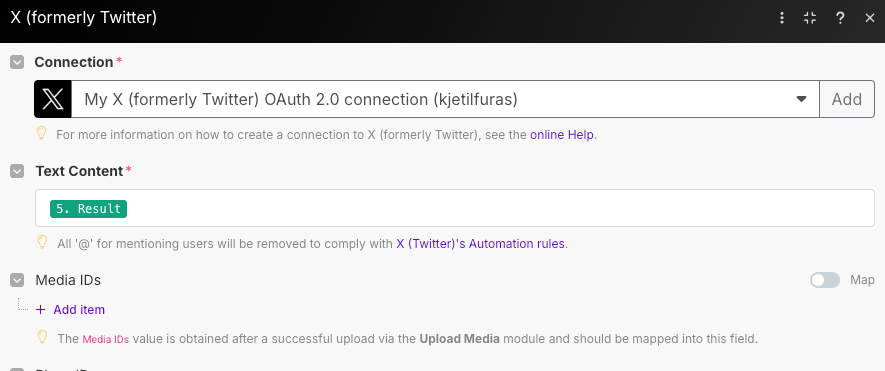
- X (Twitter): Posts the caption and link (link is included in the caption), keeping it under 280 characters.
Each post happens automatically. I added Break modules after each one to avoid rate limits and give me space to troubleshoot if needed.
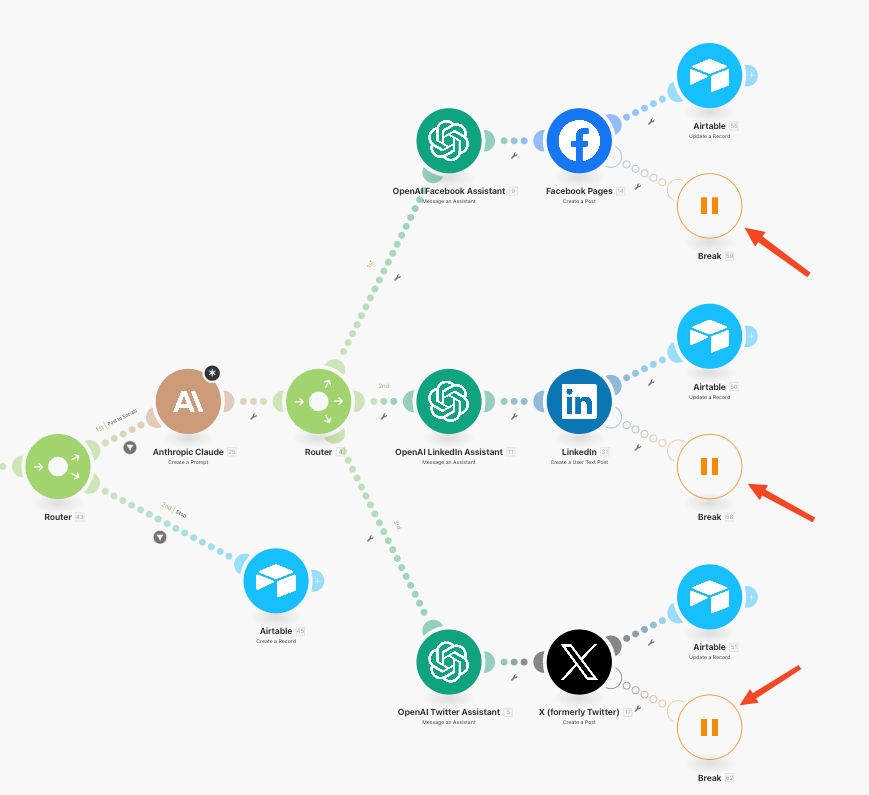
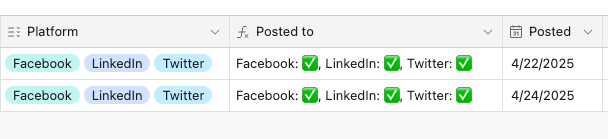
After a post is made, Make.com updates the Airtable record to mark that platform as completed.
If Twitter fails or another error occurs, the Airtable record will show a ❌ instead of a ✅.
Handling Errors and Retries
One thing I learned early: Make.com scenarios will fail silently if you don’t plan for it.
To avoid that, I built in:
- Breaks and delays with Retry logic with Make’s built-in error handling
- Airtable status flags to prevent double-posting
If something fails (e.g. Twitter API rate limit), I can fix it and re-run only that part of the flow.
Lessons Learned
- Don’t rely on a single AI model. Claude + ChatGPT together produce more human-like captions.
- Keeping the image native (especially on Facebook) increases reach.
- Airtable is good for state tracking. Keeping that state inside Make was worse.
- Test everything on dummy accounts first, especially for LinkedIn and Facebook.
- Rate limits matter. Breaks save you headaches.
Final Thoughts
This automation has saved me hours every month. I no longer write the same caption three times after publishing.
Make.com keeps it running in the background. If you publish technical content regularly, it is worth building.
I share more automation projects here on the blog, including Make.com workflows, n8n automations with AI agents, and real-world IT setups.
Code and examples go on GitHub.
If you want to talk about setting up your own workflow, reach out.
Related
How I Give Claude Code Agents Real Autonomy (And Stop 3am Disasters)
Running Claude Code agents unsupervised is only scary if you haven’t drawn the lines. I’ve had agents push to the wrong branch, draft content I didn’t want published, and retry failed jobs in loops that burned rate limits at 2am. I solved all of it by sorting actions into classes: what the agent may do…
How to Use Claude Code Subagents to Run Parallel Tasks
I’ve used Claude Code subagents daily for the past few months. They are what made Claude Code scale for me: several tasks running at once, without my main session losing the thread. Here is how subagents work, when I spawn one, and the parallel-task patterns I keep coming back to in…
Build a Custom MCP Server in Python in 2026
I’ve built several MCP servers in Python: WordPress publishing, Skool community management, YouTube analytics. They all follow the same pattern, and the point of each one was to stop copy-pasting data into prompts and let Claude Code call the system directly. Here’s how to build one from scratch with the official SDK, including the parts…