Automate Your Blog Publishing in 2026: From Draft to Live in One Command
Blog automation saved me 15-20 minutes per post. The manual version went like this: write in your editor, open WordPress, paste and reformat, upload a featured image, configure SEO metadata, hit publish. Three or four posts a week adds up to hours of clicking. So I built a system that takes a markdown…
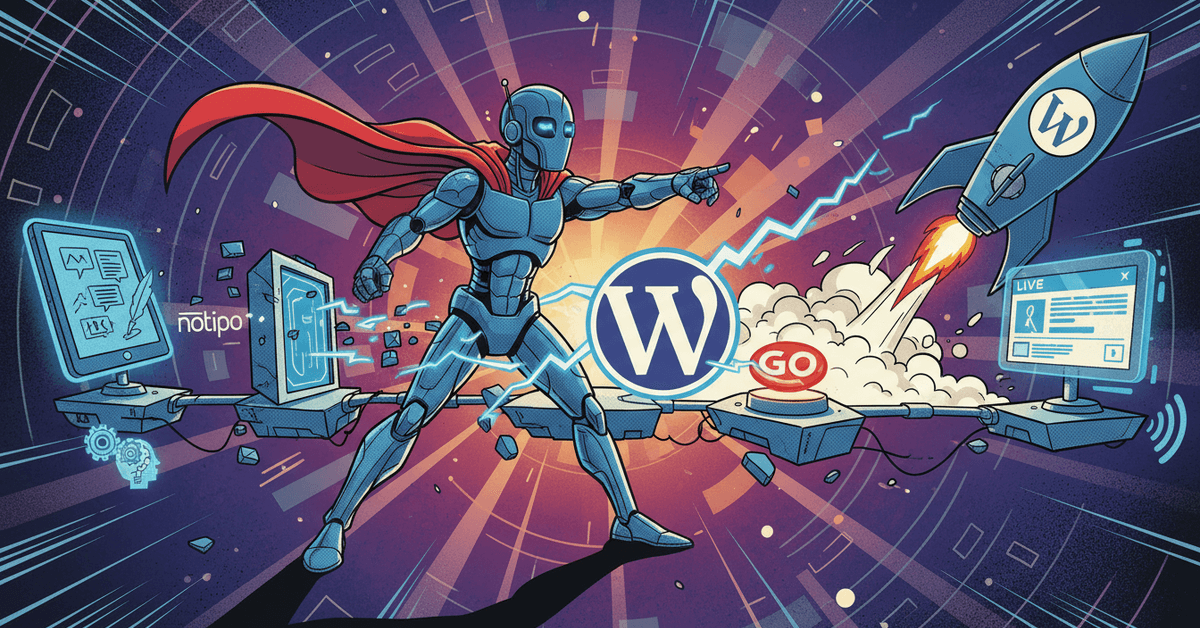
Blog automation saved me 15-20 minutes per post. The manual version went like this: write in your editor, open WordPress, paste and reformat, upload a featured image, configure SEO metadata, hit publish. At three or four posts a week that is hours of clicking.
I built a system that takes a markdown draft and publishes it to WordPress with SEO metadata, a generated featured image, proper Gutenberg blocks, and syntax-highlighted code, all in one command. The same AI agent that runs my scheduled tasks does the blog publishing too.
Here is the setup.
The Manual Workflow (What I Replaced)
Every blog post used to require the same tedious steps:
- Write content in my editor
- Open WordPress, create a new post
- Paste and reformat everything. WordPress mangles markdown
- Upload a featured image manually
- Configure Rank Math SEO: focus keyword, meta description, slug
- Set category, tags, excerpt
- Hit publish
That is 15 minutes of copy-paste and WordPress forms, 3-4 times per week.
The One-Command Solution
notipo posts create \
  --title "Your Post Title" \
  --body "$(cat draft.md)" \
  --category "Automation" \
  --tags "ai,automation" \
  --seo-keyword "your target keyword" \
  --slug "custom-url-slug" \
  --publish --wait
That single command puts the post live on WordPress with:
- Gutenberg blocks: markdown converted to native WordPress blocks, not pasted HTML
- Featured image: auto-generated with category background and title overlay (1200×628)
- SEO metadata: Rank Math focus keyword, meta description, and slug configured automatically
- Syntax highlighting: code blocks rendered with Prismatic, not raw
<pre>tags - Categories and tags: assigned from the command line
The --wait flag blocks until the post is fully live and returns the WordPress URL.
How It Works Under the Hood
The pipeline is: Markdown → Notion → WordPress.
Notipo handles the middle layer. When you call notipo posts create, it:
- Creates a Notion page from your markdown content
- Converts each markdown element to the correct Notion block type (headings, code, lists, images)
- Triggers a sync job that reads the Notion page and converts it to WordPress Gutenberg blocks
- Downloads any images from Notion and uploads them to WordPress media library
- Generates a featured image with the post title overlaid on a category-specific background
- Sets all SEO fields in Rank Math (or Yoast/SEOPress/AIOSEO, whichever it detects)
- Publishes the post and returns the live URL
The Notion step does more than pass the content along. You can edit the post directly in Notion after creation, and the changes sync to WordPress on the next poll cycle.
Integrating with an AI Agent
Blog automation gets more useful once it sits inside a larger content pipeline. My self-healing AI agent runs a scheduled blog_post task every 3 days:
- Agent pulls Google Search Console data and finds keywords with high impressions but low clicks
- Agent picks the best keyword opportunity and writes a draft
- Draft gets sent to Discord for my approval
- After I approve, the agent publishes via Notipo and cross-posts to dev.to with a canonical URL
{
  "blog_post": {
    "prompt": "Draft an SEO blog post targeting the best keyword opportunity from GSC data. Save draft for approval. After approval, publish via Notipo CLI.",
    "cron": "0 10 2,5,8,11,14,17,20,23,26,29 * *",
    "type": "approval",
    "limits": { "maxTurns": 20, "maxBudgetUsd": 5 }
  }
}
Keyword research, writing, SEO optimization and publishing all sit with the agent. My part is a 30-second approval.
Cross-Posting with Canonical URLs
After Notipo publishes to WordPress, the agent cross-posts to dev.to with a canonical URL pointing back to the original:
curl -X POST https://dev.to/api/articles \
  -H "Content-Type: application/json" \
  -H "api-key: $DEVTO_API_KEY" \
  -d '{
    "article": {
      "title": "Your Post Title",
      "body_markdown": "...",
      "published": true,
      "canonical_url": "https://kjetilfuras.com/your-slug/",
      "tags": ["ai", "automation"]
    }
  }'
The canonical_url tells Google to credit the original site, not dev.to. You get the distribution of dev.to’s audience without diluting your own domain authority.
The Before and After
Before (manual):
- 15-20 minutes per post
- Formatting errors from copy-pasting markdown into WordPress
- Forgot SEO metadata half the time
- No featured image on quick posts
- Cross-posting was a separate 10-minute task I often skipped
After automating it, a post takes 14 seconds. I timed it. The Gutenberg blocks come out right every time, the SEO metadata and the featured image get set without me, and the cross-post runs inside the same pipeline. The WordPress dashboard, the copy-paste, the image upload and the forgotten meta description are all out of the loop.
Getting Started
- Install Notipo:
npm install -g notipo - Set your API key:
export NOTIPO_API_KEY="ntp_your-key"(get it from notipo.com → Settings → Account) - Connect Notion + WordPress through the Notipo dashboard
- Publish your first post:
notipo posts create \
  --title "My First Automated Post" \
  --body "## Hello\n\nThis post was published in one command." \
  --category "General" \
  --publish --wait
The post goes live with a featured image, SEO metadata and proper formatting.
FAQ
Does this work with any WordPress site?
Yes. Notipo works with any self-hosted WordPress site or WordPress.com Business plan. It uses the WordPress REST API with application passwords for authentication. Rank Math, Yoast, SEOPress, and AIOSEO are all supported for SEO metadata.
Can I edit posts after publishing?
Yes. Edit the Notion page directly and run notipo sync to push changes to WordPress. For major content updates on already-published posts, use the re-publish endpoint to force a full sync.
What if I don’t use Notion?
Pass markdown directly via the --body flag and Notipo creates the Notion page for you, so Notion never has to be your writing tool. If you do want Notion’s editor for writing and collaboration, the two-way sync is built in.
How does the featured image generation work?
Notipo generates a 1200×628 image using your category’s background color/image with the post title overlaid in a readable font. Nothing gets opened in Photoshop or Canva, and nothing gets uploaded by hand.
Related
Automatiser bilagsføring med Fiken API og Claude Code
Jeg videresendte kvitteringer til Fiken-inboksen og lot dem ligge. Så satt jeg en kveld i måneden og førte dem manuelt: finn leverandøren, velg konto, velg MVA-kode, last opp PDF-en. Fire klikk, tretten ganger. Så skrev jeg en Claude-skill som gjør det via Fiken API-et.
Build a Self-Healing AI Content Agent with Claude Agent SDK
Write a post, format it for X, reformat for Bluesky, render a video, upload to YouTube, cross-post to Instagram. Repeat daily. That was 2-3 hours of my day, so I built a self-healing AI content agent that does all of it. It runs 24/7 on a Mac…
Docker Containers with Unraid NFS: Fix Stale File Handle Errors
If you’re running Docker containers with Unraid NFS shares, or any server serving NFS shares, you’ve probably encountered the “stale file handle” problem. I’m running Proxmox as my hypervisor with multiple VMs: one running Unraid as my NAS, and another running my media stack (Plex, Radarr, Sonarr, etc.) in Docker containers. The Docker VM pulls…