AI Powered Blog Publishing: Automate Notion to WordPress with One Command

AI powered blog publishing is changing how content creators and developers think about the entire writing-to-publishing pipeline. Instead of jumping between Notion, WordPress, an SEO tool, and a media library, the whole workflow now runs as a single automated process.
What AI Powered Blog Publishing Actually Looks Like
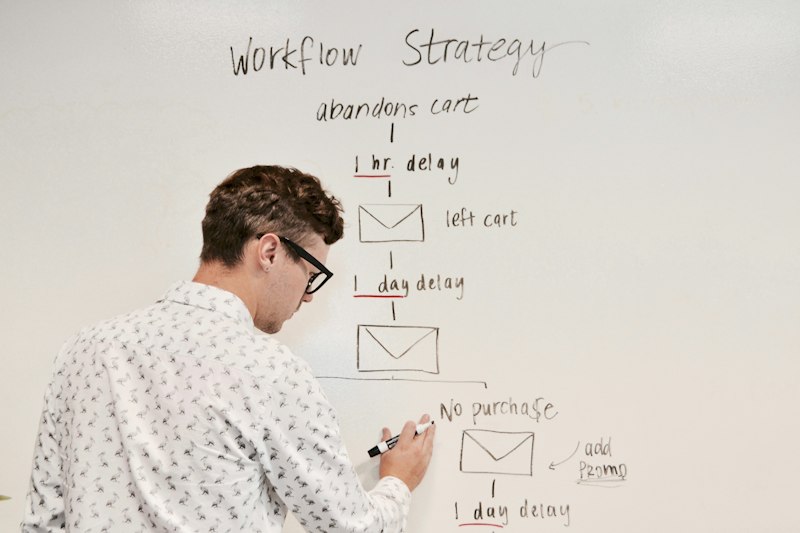
The old content workflow has a lot of manual steps: write a draft, export it, paste it into WordPress, set the SEO focus keyword, upload a featured image, configure the slug, add categories and tags, and finally hit publish. Every one of those steps is a context switch — and context switches kill flow.

With an automated pipeline, none of that is manual. The content lives in Notion. A background service watches for status changes, converts the Notion blocks to WordPress Gutenberg blocks, uploads images to the media library, generates a featured image, and sets SEO metadata — all without touching the WordPress admin panel.
How the Pipeline Works Step by Step
The pipeline has three stages: content creation, sync, and publish.
Stage 1: Content creation in Notion. You write your post in Notion and fill in a few structured properties: title, category, tags, SEO keyword, and featured image title. These properties drive everything downstream.
Stage 2: Sync to WordPress draft. When you set the Notion status to “Post to WordPress”, the sync job picks it up. It converts headings, paragraphs, code blocks, and images to Gutenberg blocks. Notion-hosted images are re-uploaded to your WordPress media library so they are not dependent on Notion CDN.

Stage 3: Publish. Setting the status to “Publish” triggers the publish job. The post goes live, the Rank Math SEO fields are updated with the focus keyword, SEO title, and meta description, and the Notion page gets the live URL written back automatically.
Why AI Agents Need This Kind of API
AI powered blog publishing is most valuable when an agent can run the entire process autonomously. That requires an API designed for machines: JSON in and out, authentication via environment variables, non-zero exit codes on failure, and clear status responses.
The Notipo CLI makes this possible from any terminal or agent runtime. The wait flag blocks the process until both the sync and publish jobs complete, then returns the final job status as JSON including the live WordPress URL. An agent can parse that URL and use it immediately.
The Role of Rank Math in Automated SEO
One of the harder problems in AI powered blog publishing is SEO metadata. Writing a post is easy; making sure the focus keyword appears in the right places is tedious to do manually.
The Rank Math REST API solves this cleanly. After syncing content to WordPress, the pipeline calls the Rank Math API directly to set the focus keyword, SEO title, and meta description. No plugin configuration needed — Rank Math exposes these fields natively and the integration works out of the box.
The same pattern works for SEOPress, which also has a native REST API. For Yoast and AIOSEO, a small companion WordPress plugin handles the meta field updates.
Self-Hosted and Open Source
Notipo is open source and available on GitHub. You can self-host it with Docker Compose or use the hosted version at notipo.com. The CLI is published on npm and works with any agent that can run shell commands or make HTTP requests.
For setup guides and examples, visit kjetilfuras.com. Once your Notion workspace and WordPress site are connected, your first AI powered blog publishing workflow is a single command away.
Photo by Immo Wegmann on Unsplash