Automate Your Blog Publishing in 2026: From Draft to Live in One Command
Blog automation saved me 15-20 minutes per post. That’s the manual workflow: write in your editor, open WordPress, paste and reformat, upload a featured image, configure SEO metadata, hit publish. Multiply that by 3-4 posts per week and you’re losing hours to busywork that adds zero value. I built a system that takes a markdown…
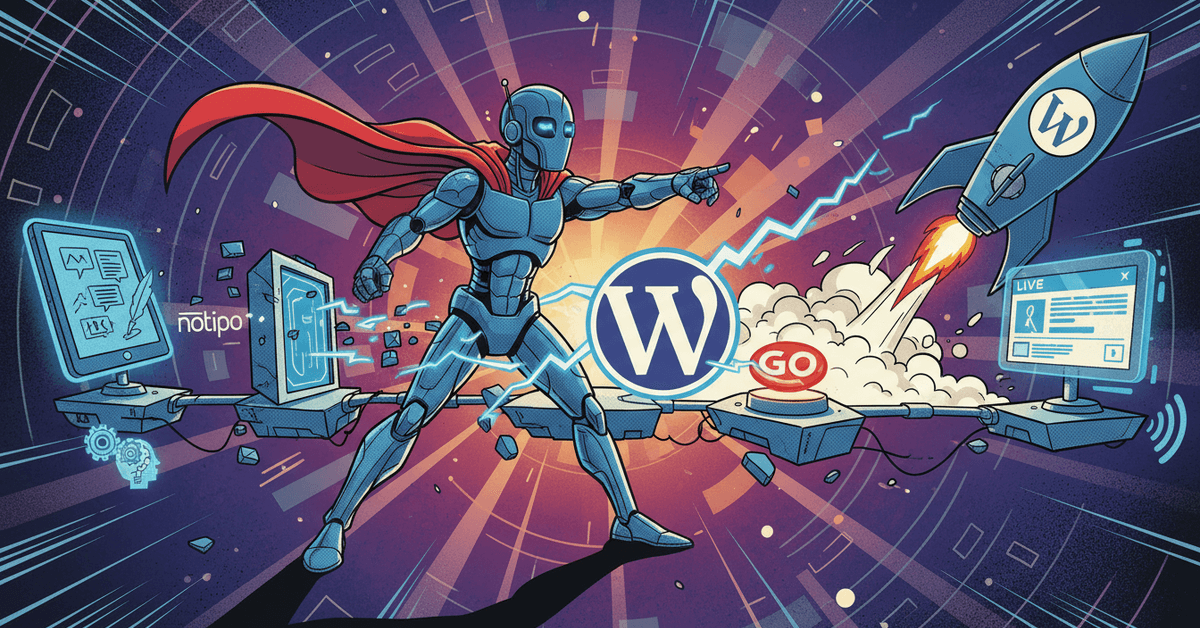
Blog automation saved me 15-20 minutes per post. That’s the manual workflow: write in your editor, open WordPress, paste and reformat, upload a featured image, configure SEO metadata, hit publish. Multiply that by 3-4 posts per week and you’re losing hours to busywork that adds zero value.
I built a system that takes a markdown draft and publishes it to WordPress with SEO metadata, a generated featured image, proper Gutenberg blocks, and syntax-highlighted code — all in one command. The same AI agent that runs my scheduled tasks handles blog publishing as part of its daily workflow.
Here’s the full setup.
The Manual Workflow (What I Replaced)
Every blog post used to require the same tedious steps:
- Write content in my editor
- Open WordPress, create a new post
- Paste and reformat everything — WordPress mangles markdown
- Upload a featured image manually
- Configure Rank Math SEO — focus keyword, meta description, slug
- Set category, tags, excerpt
- Hit publish
That’s 15 minutes of work I was doing 3-4 times per week. None of it was creative. All of it was copy-paste and clicking through WordPress forms.
The One-Command Solution
notipo posts create \
  --title "Your Post Title" \
  --body "$(cat draft.md)" \
  --category "Automation" \
  --tags "ai,automation" \
  --seo-keyword "your target keyword" \
  --slug "custom-url-slug" \
  --publish --wait
One command. The post goes live on WordPress with:
- Gutenberg blocks — markdown converted to native WordPress blocks, not pasted HTML
- Featured image — auto-generated with category background and title overlay (1200×628)
- SEO metadata — Rank Math focus keyword, meta description, and slug configured automatically
- Syntax highlighting — code blocks rendered with Prismatic, not raw
<pre>tags - Categories and tags — assigned from the command line
The --wait flag blocks until the post is fully live and returns the WordPress URL.
How It Works Under the Hood
The pipeline is: Markdown → Notion → WordPress.
Notipo handles the middle layer. When you call notipo posts create, it:
- Creates a Notion page from your markdown content
- Converts each markdown element to the correct Notion block type (headings, code, lists, images)
- Triggers a sync job that reads the Notion page and converts it to WordPress Gutenberg blocks
- Downloads any images from Notion and uploads them to WordPress media library
- Generates a featured image with the post title overlaid on a category-specific background
- Sets all SEO fields in Rank Math (or Yoast/SEOPress/AIOSEO — it detects your plugin)
- Publishes the post and returns the live URL
The Notion step isn’t just a pass-through. It means you can also edit posts directly in Notion after creation, and changes sync to WordPress on the next poll cycle.
Integrating with an AI Agent
The real power is when blog automation becomes part of a larger content pipeline. My self-healing AI agent runs a scheduled blog_post task every 3 days:
- Agent pulls Google Search Console data — finds keywords with high impressions but low clicks
- Agent picks the best keyword opportunity and writes a draft
- Draft gets sent to Discord for my approval
- After I approve, the agent publishes via Notipo and cross-posts to dev.to with a canonical URL
{
  "blog_post": {
    "prompt": "Draft an SEO blog post targeting the best keyword opportunity from GSC data. Save draft for approval. After approval, publish via Notipo CLI.",
    "cron": "0 10 2,5,8,11,14,17,20,23,26,29 * *",
    "type": "approval",
    "limits": { "maxTurns": 20, "maxBudgetUsd": 5 }
  }
}
The agent handles keyword research, writing, SEO optimization, and publishing. I handle the 30-second approval step.
Cross-Posting with Canonical URLs
After Notipo publishes to WordPress, the agent cross-posts to dev.to with a canonical URL pointing back to the original:
curl -X POST https://dev.to/api/articles \
  -H "Content-Type: application/json" \
  -H "api-key: $DEVTO_API_KEY" \
  -d '{
    "article": {
      "title": "Your Post Title",
      "body_markdown": "...",
      "published": true,
      "canonical_url": "https://kjetilfuras.com/your-slug/",
      "tags": ["ai", "automation"]
    }
  }'
The canonical_url tells Google to credit the original site, not dev.to. You get the distribution of dev.to’s audience without diluting your own domain authority.
The Before and After
Before (manual):
- 15-20 minutes per post
- Formatting errors from copy-pasting markdown into WordPress
- Forgot SEO metadata half the time
- No featured image on quick posts
- Cross-posting was a separate 10-minute task I often skipped
After (automated):
- 14 seconds per post (timed)
- Perfect Gutenberg block formatting every time
- SEO metadata set automatically
- Featured image generated automatically
- Cross-posting happens in the same pipeline
No WordPress dashboard. No copy-paste. No manual image uploads. No forgetting the meta description.
Getting Started
- Install Notipo:
npm install -g notipo - Set your API key:
export NOTIPO_API_KEY="ntp_your-key"(get it from notipo.com → Settings → Account) - Connect Notion + WordPress through the Notipo dashboard
- Publish your first post:
notipo posts create \
  --title "My First Automated Post" \
  --body "## Hello\n\nThis post was published in one command." \
  --category "General" \
  --publish --wait
That’s it. The post is live with a featured image, SEO metadata, and proper formatting.
FAQ
Does this work with any WordPress site?
Yes. Notipo works with any self-hosted WordPress site or WordPress.com Business plan. It uses the WordPress REST API with application passwords for authentication. Rank Math, Yoast, SEOPress, and AIOSEO are all supported for SEO metadata.
Can I edit posts after publishing?
Yes. Edit the Notion page directly and run notipo sync to push changes to WordPress. For major content updates on already-published posts, use the re-publish endpoint to force a full sync.
What if I don’t use Notion?
You can pass markdown directly via the --body flag — you don’t need to use Notion as your writing tool. Notipo creates the Notion page automatically from your markdown. But if you want to use Notion’s editor for writing and collaboration, the two-way sync is built in.
How does the featured image generation work?
Notipo generates a 1200×628 image using your category’s background color/image with the post title overlaid in a readable font. No Photoshop, no Canva, no manual uploads.
Related
Automatiser bilagsføring med Fiken API og Claude Code
Jeg videresendte kvitteringer til Fiken-inboksen og lot dem ligge. Så satt jeg en kveld i måneden og førte dem manuelt — finn leverandøren, velg konto, velg MVA-kode, last opp PDF-en. Fire klikk, tretten ganger. Så skrev jeg en Claude-skill som gjør det via Fiken API-et.
Build a Self-Healing AI Content Agent with Claude Agent SDK
I got tired of the content grind. Write a post, format it for X, reformat for Bluesky, render a video, upload to YouTube, cross-post to Instagram — repeat daily. It was eating 2-3 hours every day. So I built a self-healing AI content agent that does all of it. It runs 24/7 on a Mac…
Run a Claude Agent on a Schedule: Cron Jobs, Persistent Memory, and Error Recovery
Building an AI agent is the easy part. Making it run a Claude agent on a schedule reliably every day without babysitting — that’s where most tutorials stop. I run an autonomous Claude agent called Koda. It executes 15+ scheduled tasks daily: pulling analytics from YouTube, Google Search Console, and Instagram, scanning X for viral…